Deploying
We currently have 2 ways to deploy:
With Ansible: For deploying with Ansible, we use the
maykinmedia/commonground-deploymentrepo.With Kubernetes: For deploying with Kubernetes, we use the charts in the
maykinmedia/chartsrepo and the values in themaykinmedia/kubernetes-deploymentrepo.
Please see the respective (private) repositories mentioned above for more information on deployment.
Ngnix
In Open Archiefbeheer, the frontend does not add CSP headers to the responses, which means that this has to be done with Nginx. However, one has to be careful that Nginx does not override the headers added by the backend to the api endpoints and to the admin pages.
We have an example of a simple configuration that does this in our docker-compose.yaml file:
# Create a variable that with either the CSP headers returned from the backend, or the default CSP headers
# For more details, see the docs (devops > deploying > nginx).
map $sent_http_content_security_policy $csp_headers {
    default   $csp_headers;
    ""        "default-src 'self'; font-src 'self' data:; frame-ancestors 'none'; img-src 'self' data:;";
}

server {
    listen       80;
    server_name  localhost;
    add_header X-Frame-Options DENY;
    add_header Content-Security-Policy $csp_headers always;

    location ~ ^/admin|static|api/ {
        proxy_pass http://web:8000;
        proxy_set_header Host $http_host;
    }

    location / {
        try_files $uri $uri/ /static/frontend/index.html;
    }
}
Here we define a variable $csp_headers which contains either the default CSP headers that nginx should add to the response (needed for the frontend)
or the CSP headers that are already present in the response (in the case that the backend has already added the headers).
In this way we don’t override the backend CSP headers.
Open Zaak
The minimum supported version of Open Zaak is 1.18.0.
Configuration
After a successful deploy, the app will show a banner saying that there are errors that need to be fixed. This is not something that went wrong during deployment, but it means that the application still needs to be configured.
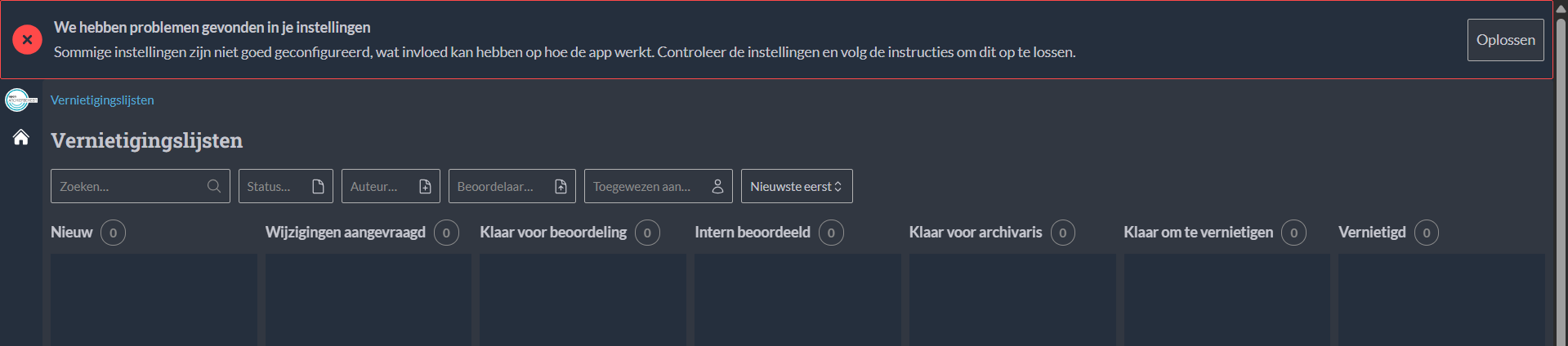
This configuration is meant to be done by Administrators with specific domain-knowledge of the processes. For this reason,
this part of the configuration was not automated via django-setup-configuration.
FEATURE_FLAGS
FEATURE_RELATED_COUNT_DISABLED: Setting this environment variable to True will disable the inline presentation of the related objects selection. This may significantly reduce load on external registers and improve performance.
Frontend environment variables
The frontend has its own set of environment variables. These are prefixed with OAB_ and are picked up by Vite at
build/runtime. See frontend/.env.example for the full list and example values.
OAB_ZAAK_URL_TEMPLATE: A URL template used to render the clickable links to cases (zaken) in the destruction list UI. The template may contain{fieldname}placeholders that are replaced with the corresponding field of the case, for example{identificatie}(the case identification number, e.g.ZAAK-2026-0000000411) or{url}(the raw Open Zaak API URL of the case).This is useful when systems such as GZAC or IKO are available: the links can then point to a case-viewing UI instead of the raw Open Zaak API URL.
Example:
OAB_ZAAK_URL_TEMPLATE=https://example.com/iko/zaakbeeld/zaaknummer?zaaknummer={identificatie}